
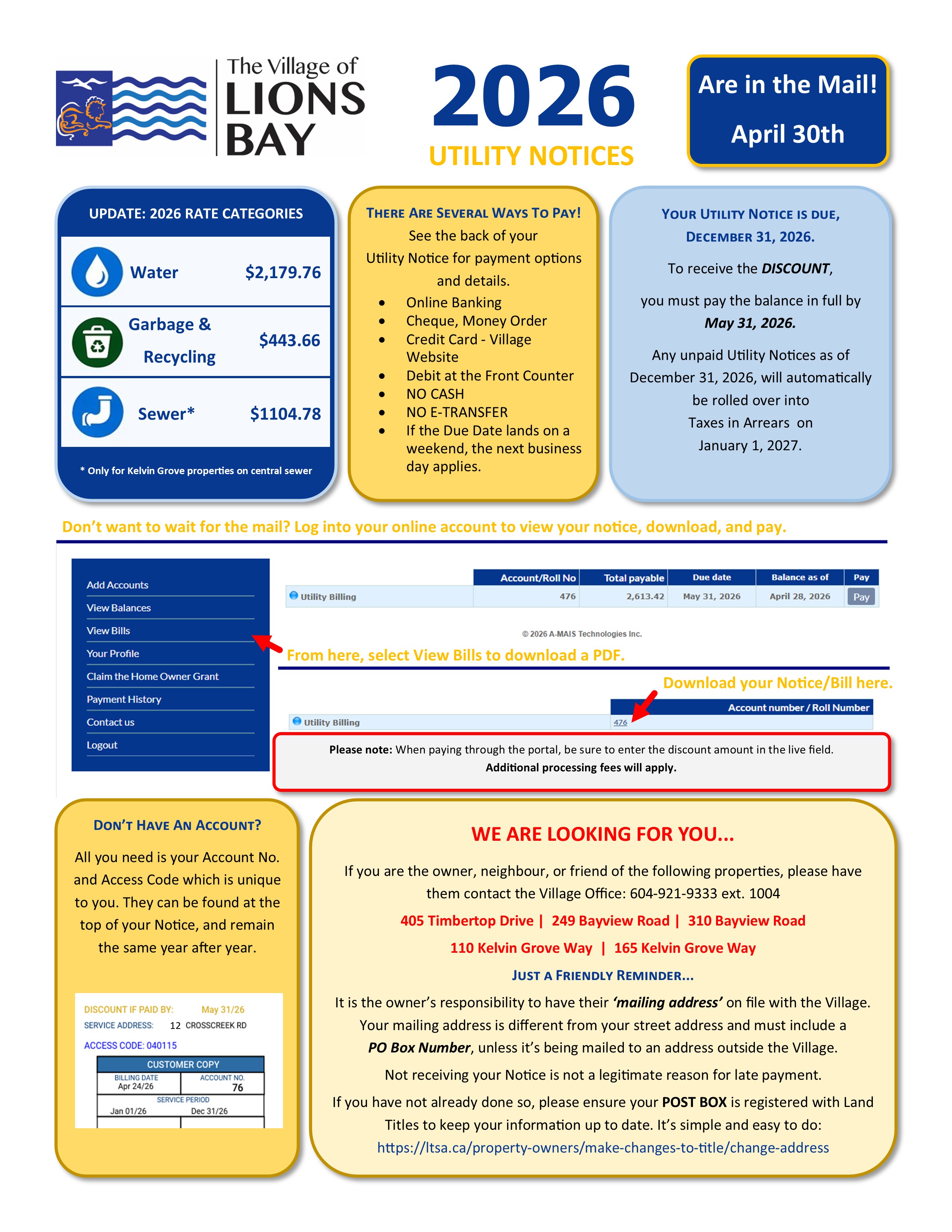
THE 2026 UTILITY NOTICES HAVE NOW BEEN ISSUED.
THEY ARE AVAILABLE ONLINE, AND SHOULD ARRIVE IN YOUR LIONS BAY MAILBOX IN THE NEXT FEW DAYS. OUT-OF-TOWN MAILING ADDRESSES WILL TAKE LONGER AND ARE SUBJECT TO CANADA POST DELIVERY TIMES.
HOW TO PAY | ONLY SECURE FORMS OF PAYMENT WILL BE ACCEPTED
1. Online Utility payments are available through your financial institution. Search for the Village of Lions Bay as a Payee. The name will vary depending on your Financial Institution. Enter the Account # listed on your bill. You may be required to add leading zeros to the requisite number of digits. For example: if your account # is 4 digits long (1234) but your bank requires a 9-digit number, add 5 zeros to the front: 000001234. Online payments MUST BE submitted and accepted by your bank with an Effective Date no later than the Discount Due Date.
2. By credit card on the Village of Lions Bay website: browse to www.lionsbay.ca, click "I Want To" and select "Pay." Use your Account Number and Online Access Code provided on the front of your Utility Notice.
3. In person at the Municipal Office:
• By cheque payable to the Village of Lions Bay.
• Debit Card (Please check your daily limit).
• CASH will no longer be accepted for Utility or Tax payments.
• E Transfers are not accepted.
4. By mail. DO NOT MAIL CASH. Leave plenty of time for Canada Post to deliver your payment. Payments must be postmarked no later than the Discount or Due Date for the Discount to apply.
5. A fee of $50.00 will be applied to all NSF cheques.
6. Payments CANNOT be made in person at a Bank via a Bank Teller. In this instance, a Teller's Stamp is not proof of payment.
7. Please be sure to obtain a receipt for your transaction from the Front Counter.
8. If the Due Date lands on a weekend or a statutory holiday, the next business day will apply.
MAKE SURE YOUR MAILING ADDRESS IS REGISTERED WITH LANDTITLES: Change Mailing Address on Title - LTSA
PLEASE NOTE:
All single-family property owners are required to complete the Secondary Suite Declaration at the bottom of their utility notice. The declaration may also be completed online.